
Sometimes you may need notifications while using Jenzabar One Desktop (both in the application and by email). This article will walk you through how to enable those.
Need Additional Help? If you need further assistance after reading this article, please contact the IT helpdesk via email at techsupport@baypath.edu or by phone at (413)565-1487.
-
Log into Jenzabar.
-
If you are unsure how to access Jenzabar, please reference these instructions for access: https://kb.baypath.edu/tech-support/logging-into-jenzabar-via-citrix
-
-
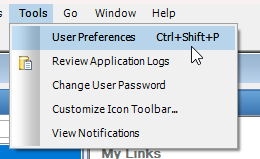
Once you are logged in, select Tools then User Preferences from the menu at the top of the screen
-
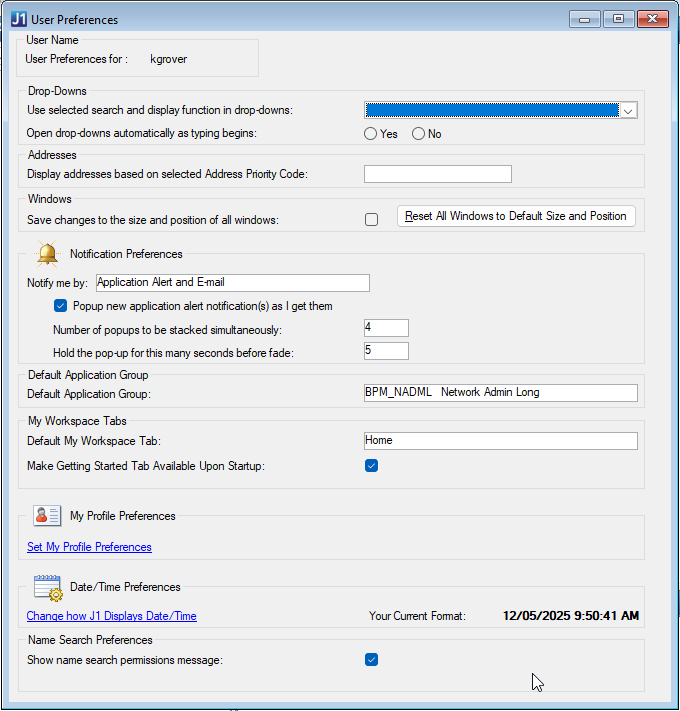
Under Notification Preferences, make sure that you have Notify me by set to Application Alert and E-Mail. Make sure the checkbox below is checked, as well.
-
You should receive alerts now